 SeeThis
SeeThis / Use cases
Point an AI agent at several spots in one message
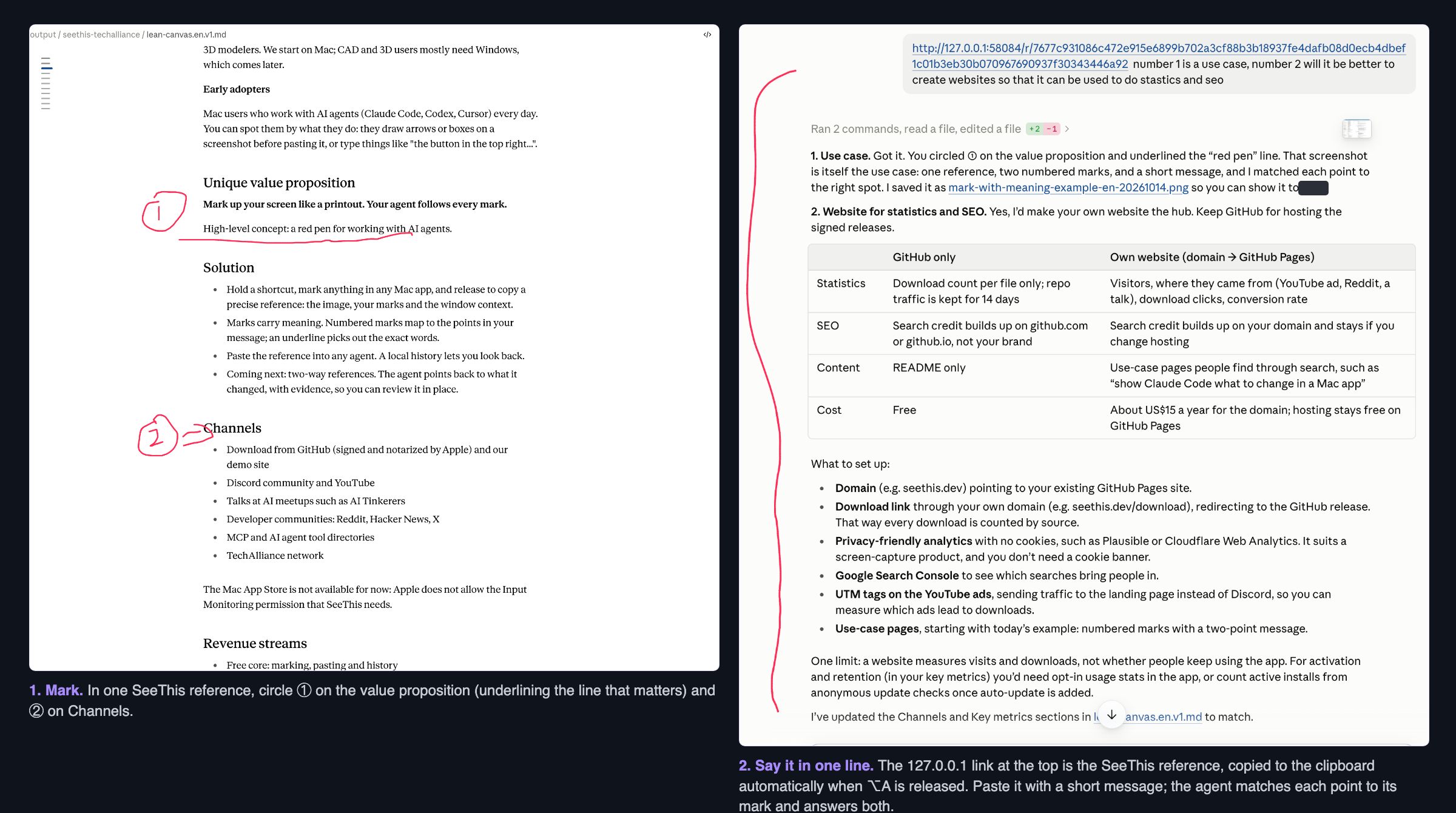
Two circled spots, a 1 and a 2, and one line of text. The agent answered each point on its own.
The situation
When you review a document, a design or a dashboard with an AI agent, your feedback is usually about more than one place. Describing each place in words is slow, and the agent still has to guess which part you meant.
I was reviewing a one-page business plan with an AI agent. I had two separate thoughts: one sentence was really a use case worth showing on its own, and one section raised a question about whether to build a website for analytics and SEO.
What I did
- Held ⌥ A to turn on marking, then dragged with the left mouse button to circle the sentence, wrote 1 next to it and underlined the exact words.
- Still holding ⌥ A, circled the second section and wrote 2, so both marks went into the same reference.
- Released ⌥ A. SeeThis copied the reference link to the clipboard automatically, so I pasted it into the agent with one line:
The agent matched point 1 to the first mark and point 2 to the second, answered both, and updated the document. It did not need me to explain where either spot was.
Why it works
- The mark says where. The reference carries the exact area you marked, in the app and window you marked it in.
- The number links the mark to your words. One message can carry several instructions without “the second paragraph from the top, on the left”.
- An underline narrows it down. Inside a circled area, an underline shows the exact words you mean.
Tips
- Keep each mark around one idea. Two small circles are clearer than one big one.
- Agents on the same Mac, such as Claude Code or Codex, can read the local reference URL. For web chats, copy the marked image from Inspector.
- A capture includes the whole display. Hide private windows before you mark.
Try it
SeeThis is free and open source for Apple Silicon Macs.